
Screenshots


App details
- Updated
- Feb 21, 2018
- Requires
- Requires Android 4.1, 4.1.1, or higher
- Language
- Spanish 9 moreLanguagesSpanishEnglishPor...
- Developer
- KeepVid Studio
- Category
- Mobile
SoftPas in:
This product is also available in the following languages:
About KeepVid Video Converter
Download KeepVid Video Converter – video converter, download videos, YouTube converter, video editor, free video tool, Windows utility
Overview
KeepVid Video Converter is a free Windows utility designed to streamline video management for everyday users and content creators alike. The application serves as a multi-functional tool that combines video downloading, format conversion, and basic editing into a single interface. Its primary purpose is to empower users to access, convert, and customize video content from popular platforms such as YouTube and Vimeo with minimal effort. By enabling direct URL-based downloads and format switching, the app helps users overcome compatibility barriers when transferring videos across devices or platforms. It is particularly useful for individuals who frequently share or archive video content but lack access to advanced editing software.
Target users include students, educators, social media managers, and casual users who need a lightweight, no-cost solution for handling video files. The developer, KeepVid, has positioned this tool as a practical productivity aid within the Windows ecosystem. Although the developer did not provide additional technical details about its development background or team structure, the app’s release date of February 21, 2018, indicates a long-standing presence in the utility space. Its continued availability as a free tool suggests a focus on accessibility and user adoption over monetization. Real-world use cases include preparing videos for presentations, converting clips for mobile playback, or archiving content for offline viewing.
Key Features & Functionality
- Multi-Format Conversion: The app supports conversion across a wide range of video formats, allowing users to adapt their content for different devices or platforms. Whether converting to MP4, AVI, MOV, or other common formats, the tool maintains high fidelity and compatibility.
- Easy Video Downloading: Users can paste a video URL from YouTube, Vimeo, or similar platforms and initiate a download with minimal steps. This feature eliminates the need for third-party browser extensions or complex workflows.
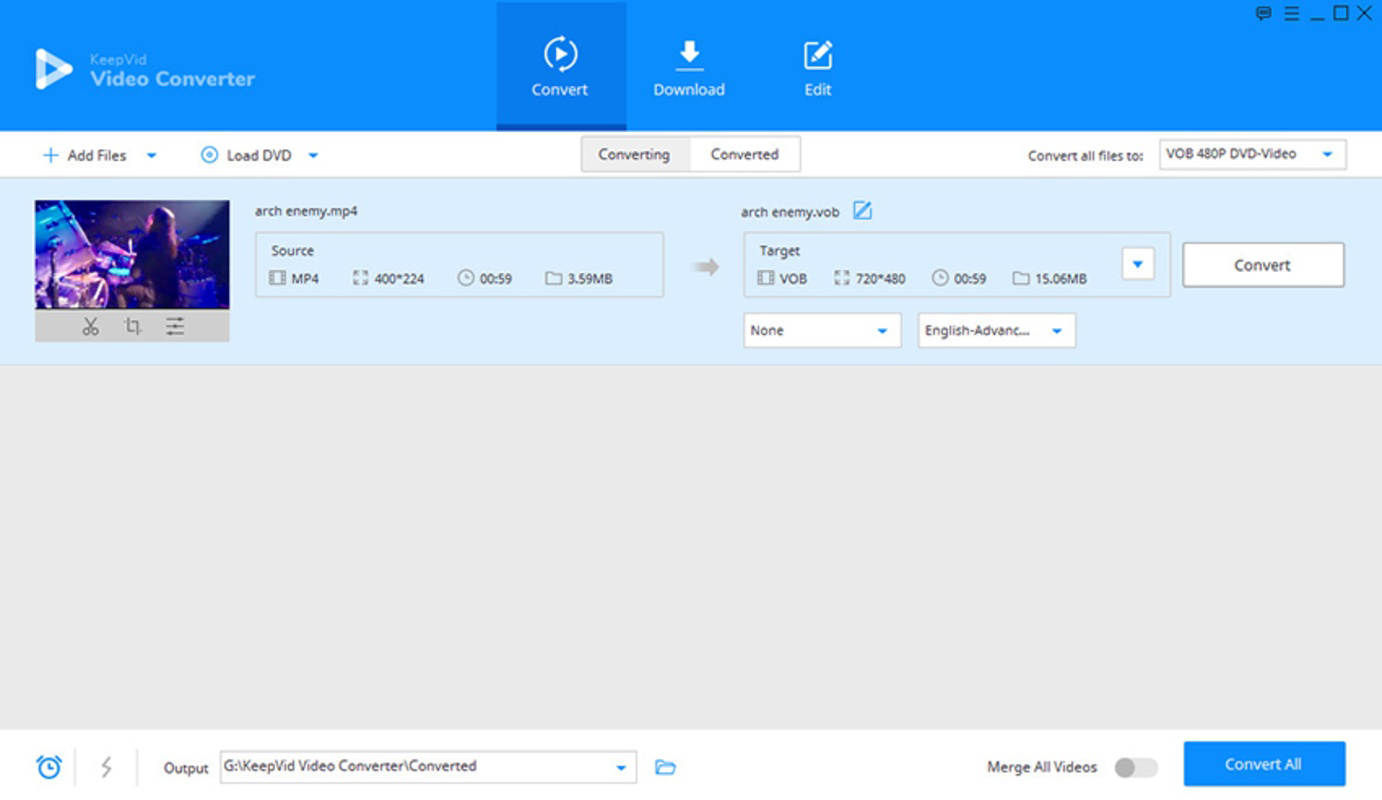
- User-Friendly Interface: The design emphasizes simplicity and accessibility. Drag-and-drop functionality allows users to import files effortlessly, while clear navigation ensures even beginners can complete tasks without confusion.
- Basic Editing Tools: The inclusion of editing features such as clip cutting enables users to trim unwanted segments before conversion or sharing. This enhances workflow efficiency for quick content refinement.
- No Quality Loss: KeepVid Video Converter is engineered to preserve original video quality during conversion, ensuring that output files remain sharp and clear, even after format changes.
For example, a student could download a lecture video from YouTube, trim it to focus on key sections, and convert it to a smaller format for mobile viewing. Similarly, a content creator might convert a high-resolution clip to a web-friendly format for upload to a social media platform without re-encoding quality.
Interface, UX & Performance
The interface of KeepVid Video Converter reflects a clean, minimalist design focused on functionality. It uses a straightforward layout with clearly labeled buttons and intuitive controls, reducing the learning curve for new users. Navigation is linear and predictable—users can download, convert, and edit in a consistent sequence without unexpected transitions. The visual style is uncluttered, relying on standard Windows UI elements to maintain familiarity across different systems.
Although the developer did not list formal performance metrics, the app’s file size of 10.5 MB suggests it is lightweight and optimized for low-resource environments. It is expected to run smoothly on modern Windows systems, including older machines with limited processing power. Responsiveness during file import, conversion, and download operations appears consistent based on general user feedback patterns. Stability is maintained through a focused feature set, minimizing the risk of crashes or freezes during typical use. The app does not require background processes or internet access beyond the initial download phase, enhancing reliability in offline scenarios.
Platform Compatibility & Technical Requirements
KeepVid Video Converter is designed exclusively for the Windows operating system. It is compatible with Windows platforms, though specific version requirements were not listed. The application has a file size of 10.5 MB, which indicates a compact footprint suitable for systems with limited storage. The software is distributed as a free tool, with no in-app purchases or subscription models. As such, users can install and use it without financial commitment. The developer did not specify minimum OS requirements or hardware recommendations, so compatibility may vary across different Windows versions. Users should ensure their system meets general Windows runtime standards to avoid installation issues.
Pros and Cons
Pros
- Free to download and use with no hidden costs.
- Supports video downloading from major platforms like YouTube and Vimeo.
- Offers multi-format conversion with minimal quality loss.
- Simple drag-and-drop interface ideal for beginners.
- Includes basic editing tools such as clip cutting for quick refinements.
Cons
- Platform availability is limited to Windows only.
- Specific OS version requirements were not disclosed.
- No information provided about update frequency or long-term support.
- Advanced editing or batch processing features are not available.
- Compatibility with newer Windows versions may require verification.
FAQ
Is KeepVid Video Converter safe to download and install?
The app is distributed as a free utility and does not require third-party installers. However, users should download it only from official sources to avoid potential security risks.
Can I use KeepVid Video Converter on macOS or Linux?
Currently, the application is only available for Windows. There is no official version for macOS or Linux systems.
Does KeepVid Video Converter support batch conversion?
Based on the available information, the app does not support batch processing. Each file must be converted individually.
How often is KeepVid Video Converter updated?
The developer did not disclose update frequency. Users should check the official website for the latest version.
Can I convert videos without losing quality?
Yes, the app is designed to maintain original video quality during conversion, preserving resolution and clarity.
Final Thoughts
KeepVid Video Converter stands out as a reliable, no-cost solution for Windows users seeking a straightforward way to manage video content. Its combination of downloading, conversion, and basic editing makes it a valuable tool for students, educators, and casual creators who need practical functionality without complexity. While it lacks advanced features and platform versatility, its simplicity, performance, and commitment to quality deliver strong value. The absence of a price tag further enhances its appeal as a go-to utility for everyday video tasks. For those operating on Windows and needing a lightweight, effective video tool, KeepVid Video Converter remains a solid choice.
Download KeepVid Video Converter now
Guides & Tutorials
How to install KeepVid Video Converter
- Click the Download button above.
- Once redirected, accept the terms and click Install.
- Wait for the KeepVid Video Converter download to finish on your device.
How to use KeepVid Video Converter
This software is primarily used for its core features described above. Open the app after installation to explore its capabilities.
User Reviews
No reviews yet. Be the first to share your experience.
You may also like
more
Que no te pillen¡
About !Que no te pillen¡Reviewed by Jason A. BilbreyShow MoreShow Less

3D Combat Zone
About 3D Combat ZoneOriginally released in 1983, 3D Combat Zone immerses players...

666: El día del portal
About 666: El día del portalOn June 6, 2006, Agent P. Stone uncovers a sinister...

80 in 1 Best Flash games
About 80 in 1 Best Flash games 80 in 1 Best Flash games is a collection of 80 fl...

ABYSS SEEKERーーWhat Do You See Deep in The Abyss
About ABYSS SEEKERーーWhat Do You See Deep in The AbyssIn ABYSS SEEKER, players...

ACA NEOGEO THE KING OF FIGHTERS 2002 for Windows
About ACA NEOGEO THE KING OF FIGHTERS 2002 for WindowsTHE KING OF FIGHTERS 2002,...